Introduction
The MFA API allows to retrieve and confirm an authentication challenge and is meant to be used by custom MFA connectors. This functionality enables secure verification before proceeding with sensitive operations.
Current Implementations inside Plumery Services
The existing MFA Plugins APIs (e.g. Device signature verification, SK-ID V1/V2) use the following pattern:
- An initiation request is made to initiate the signing session.
- A verification request is made to verify the signature.
Between step 1 and 2, depending on the use case, there could be a series of steps to be performed (e.g. user input, confirmation message display, asynchronous operations) before proceeding with the signature verification.
Both calls receive a challenge ID as a parameter. The challenge ID is used to correlate the initiation and verification requests.
Using the challenge ID, the MFA Plugins can retrieve the contents of the challenge session and also obtain, based on this information, the confirmation message to be displayed to the user.
Implementing a new MFA Connector API
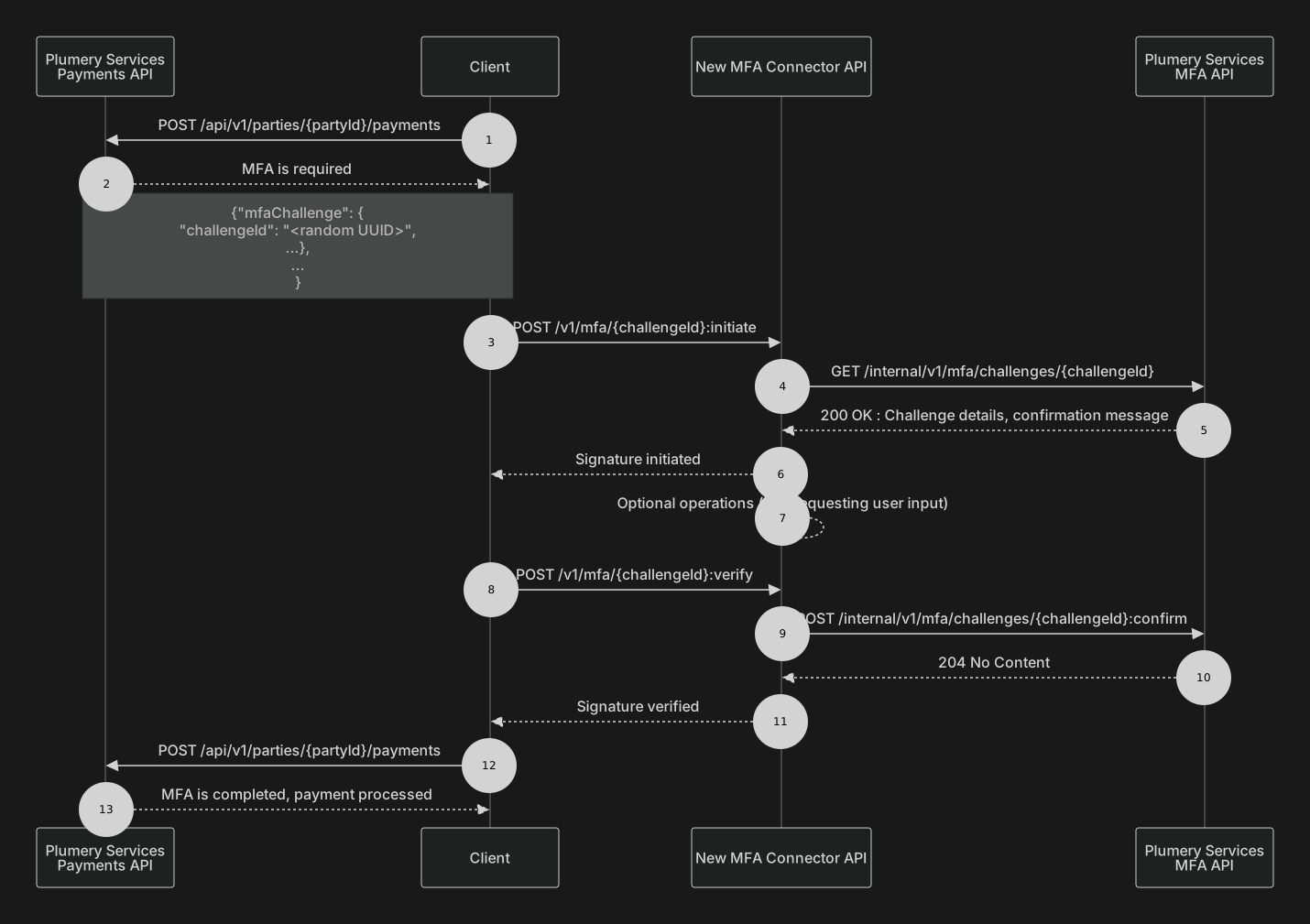
The custom MFA connector to be implemented does not have access to the challenge ID session details. These details can be retrieved using the ‘Get Challenge Details’ endpoint. The response will also contain a confirmation message which can be displayed to the end user when prompted to confirm the signature.
As part of the final step, the MFA connector should call the ‘Confirm Challenge’ endpoint to confirm the signature.
In the context of the new MFA connector, the challengeId parameter should be used to correlate the initiation and verification requests.
Depending on the use case, a “Sensitive Operation Signed Event” event can be published.
In the following diagram, a custom new MFA Connector API is used to initiate the signing session and to verify the signature for a payment initiated request.